 IT
 EN
 DE
 FR
 ES
 IN

You publish your deals with the AutoDeals bot or mini-app. It works, and many of you can do it with your eyes closed by now. That's why we'll say it right away: we're not asking you to change your habits overnight. The bot, the mini-app and the dashboard stay exactly as they are.
While working on the Bot, though, we realised how much time goes into jumping from one chat to another: you copy the link, open the Bot, go back to the channel and check that the post went out.
With the mini-app we already tried to make things simpler: it opens inside Telegram and you close and reopen it whenever you need it. But it's still one more window to open and close on Telegram, so it isn't the best it could be yet.
So we wanted to try a different route, to let you manage everything in one place: the channel you already work in. DealsGram was born from this experiment.
What is DealsGram?
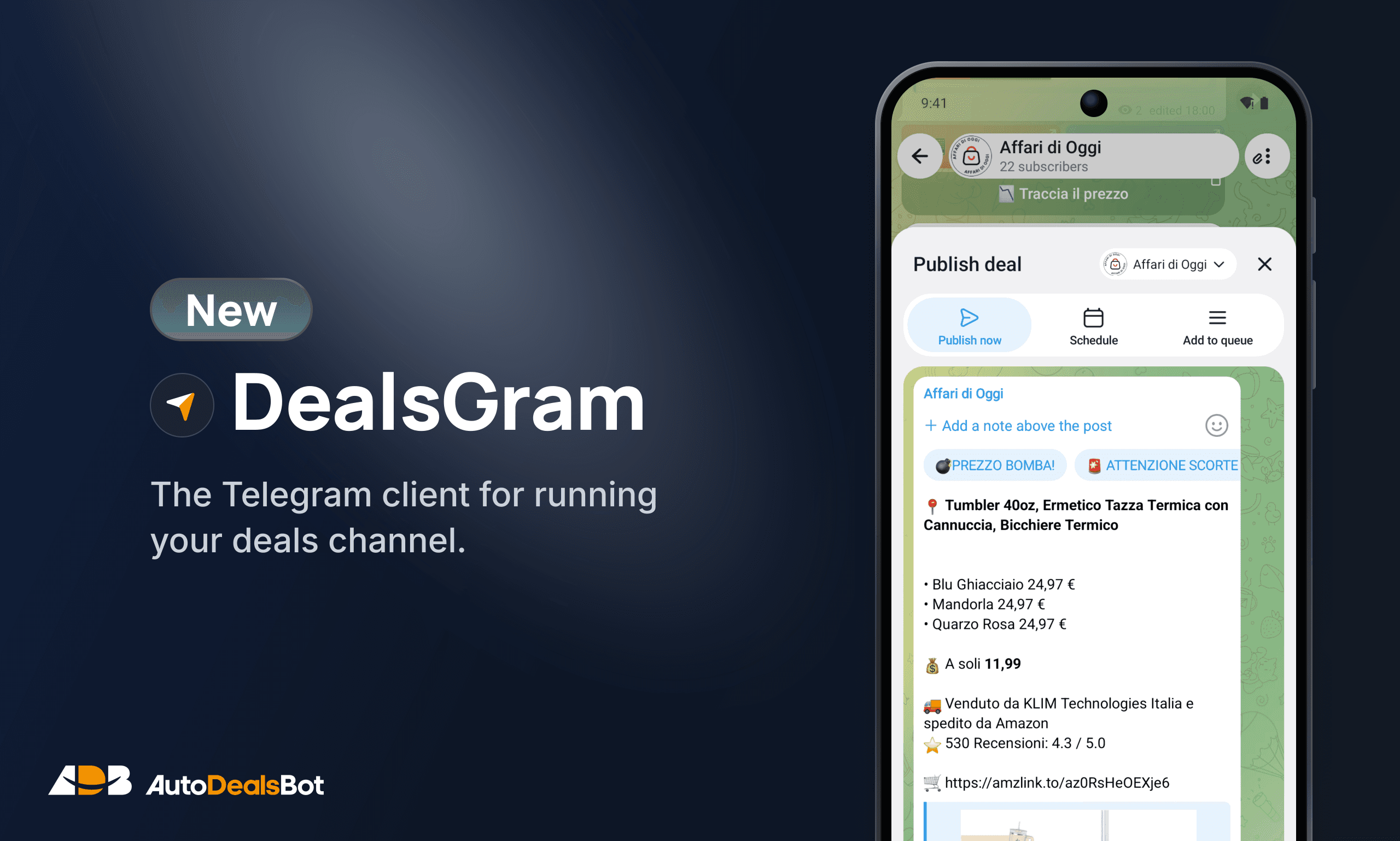
It's an alternative Telegram client for Android (coming soon to iPhone) with AutoDeals built in. Chats, groups and channels work just as they always have. On top of that, in the channels linked to AutoDeals, you publish deals straight from the chat.
How do I publish a deal?
Paste the link into the channel chat and tap Send. DealsGram prepares the post with that channel's format and affiliate tag: you check it, then publish it, schedule it or add it to the queue. If you have several channels, you can publish it on all of them and each one will use its own settings from AutoDealsBot.
What if I find the deal in another chat?
Tap the message and choose Publish on my channels: DealsGram prepares the post with your channel's format. It works even when the link is hidden behind some text or a button.
It also works from Amazon, AliExpress or your browser: tap Share and choose DealsGram.
Can I search for deals in the app?
Yes. You search the deals of every AutoDeals store, filter them by price and discount and check the price history before publishing. Long-press a deal to pick a few more and turn them into a multi-deal post.
What about the channel queue?
From the channel menu open Upcoming posts: you see what will go out and at what time. Each deal can be moved earlier or later, published right away or removed from the queue.
And when a deal is over?
Tap the post in your channel and choose Deal expired: the message updates and the deal shows as expired on the channel.
How do I get started?
In three steps
- 1Download the app from dealsgram.app on a phone with Android 6.0 or later
- 2Sign in with the same Telegram account you use for AutoDeals
- 3Open one of your channels and paste a deal link
The app is free. To publish, you need an active AutoDeals subscription on the channel.
Good to know
- DealsGram is not an official Telegram app: it's built on the open-source code of Telegram for Android.
- It updates itself: when a new version comes out, it offers it to you and installs it in a few taps.
- We've only just released it. If something doesn't add up, you run into trouble or you have ideas, write to us. The next versions will take shape thanks to your feedback.